Skip to content

ELSTER Explained (in English)

ELSTER is one of the most important online tax filing tools for German taxpayers. Learn more about ELSTER for freelancers in Germany. 

ELSTER (ELektronische STeuerERklärung = electronic tax declaration) is a German digital tax management system developed by the Federal Central Tax Office (Bundeszentralamt für Steuern) to enable German taxpayers to submit their tax returns online.

ELSTER Zertifikatsdatei is an electronic ID for a person, organisation or system issued by a trust centre and authenticated by Finanzamt. It can be used for login into My ELSTER account. 

My ELSTER issues personal certificates for persons and certificates for organisations (also organisation certificates)

If you are a freelancer in Germany or own your own business, you will most likely need to use ELSTER to file your tax return.

Certain reports such as monthly VAT returns or registering as a freelancer in Germany can only be sent to Finanzamt through ELSTER (or another online tax filing tool authorised by Finanzamt)

Salaried individuals in Germany can use ELSTER to submit their annual tax returns and request tax refunds.

Self-employed individuals in Germany can use ELSTER a number of tax reports:

  • Register as a freelancer in Germany
  • Monthly/ quarterly/ annual VAT return
  • Annual tax return
  • Tax returns and returns for a company or organisation (e.g. GbR, OHG, GmbH, Verein).
  • Apply for “Corona assistance” 
  • Register/deregister / re-register employees

ELSTER is absolutely free of cost for everyone.

If you wish to create an account with extra secure login options such digital security stick or a digital signature card, then you pay a one time set up fee. These two options are usually chosen by professional tax advisors, accountants and businesses.

ELSTER is only available in German.

There are a couple of tools that let you file German tax forms in simple English and send them online to your local Finanzamt.

Accountable

GetSorted

Read our head to head comparison of both tools here.


You can sign up for ELSTER account by signing up here.

Scroll down to read our step by step annotated screen guide to make sure you choose the right type of settings and ELSTER account as a freelancer in Germany. 

How to create an ELSTER account as a freelancer

Use this step by step guide to creating an ELSTER account for freelancer and sole trader in Germany. 

STEP 1: Go to the ELSTER homepage and click on ‘Benutzerkonto erstellen’
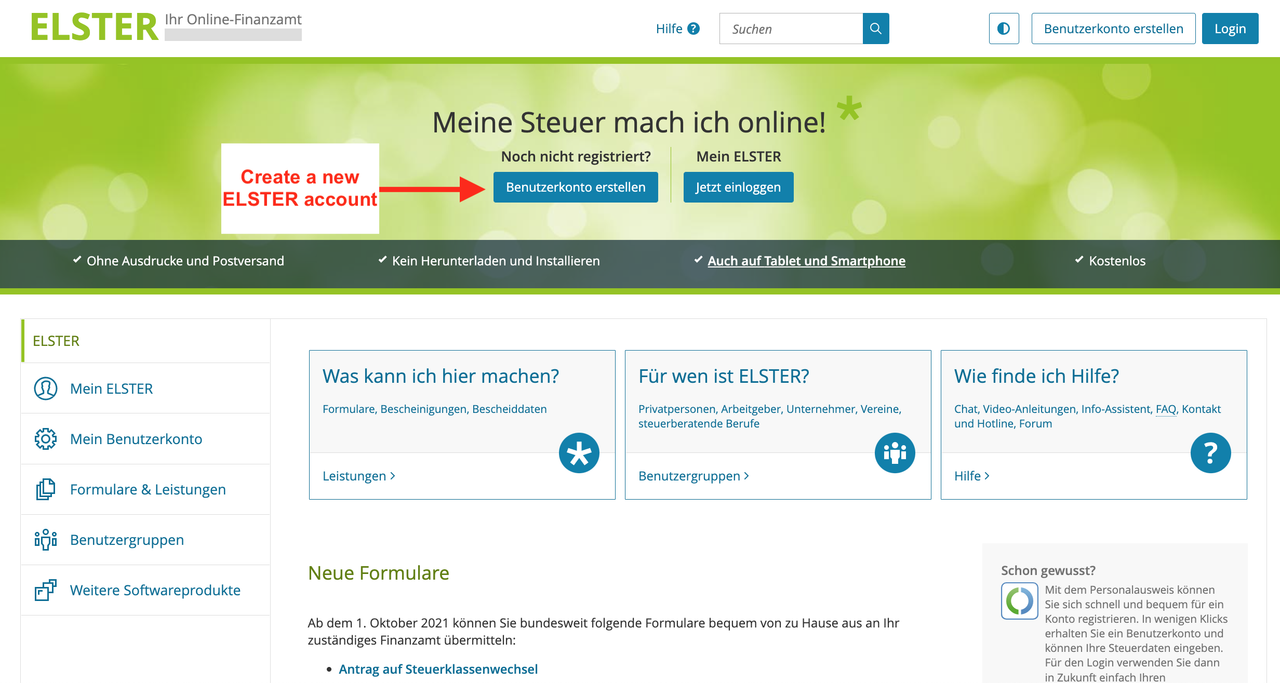
ELSTER Sign up page


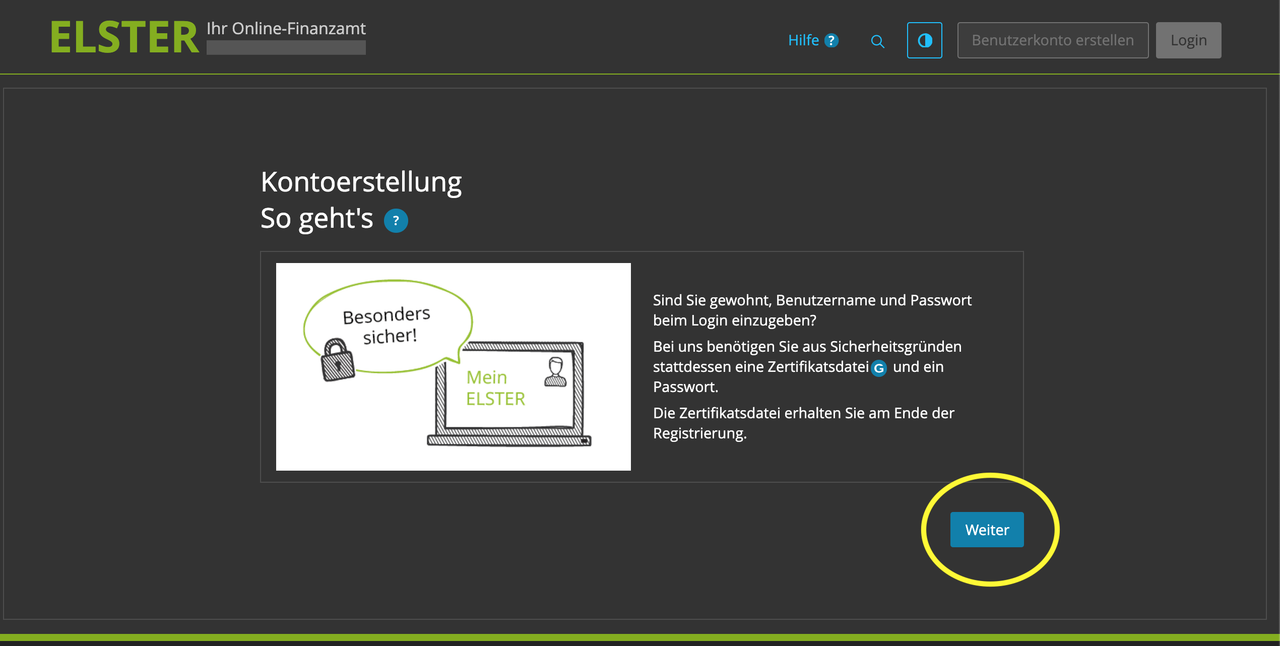
STEP 2: Click on ‘Weiter’


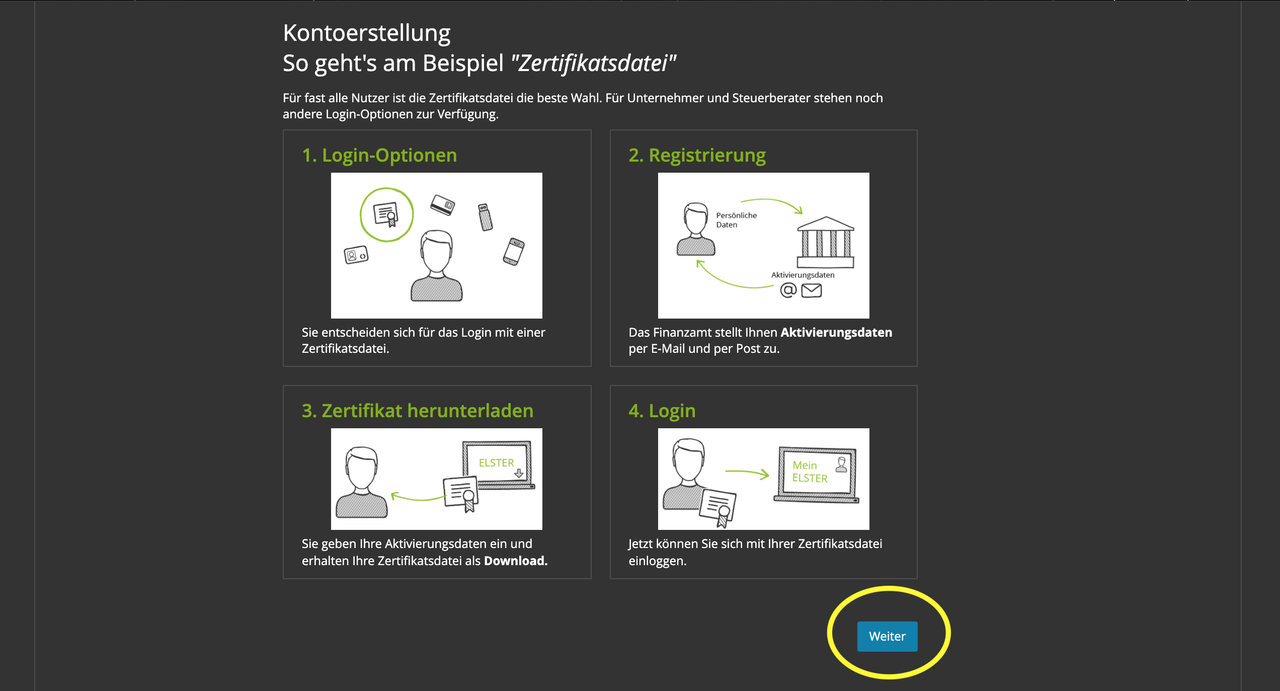
STEP 3: Click on ‘Weiter’
 

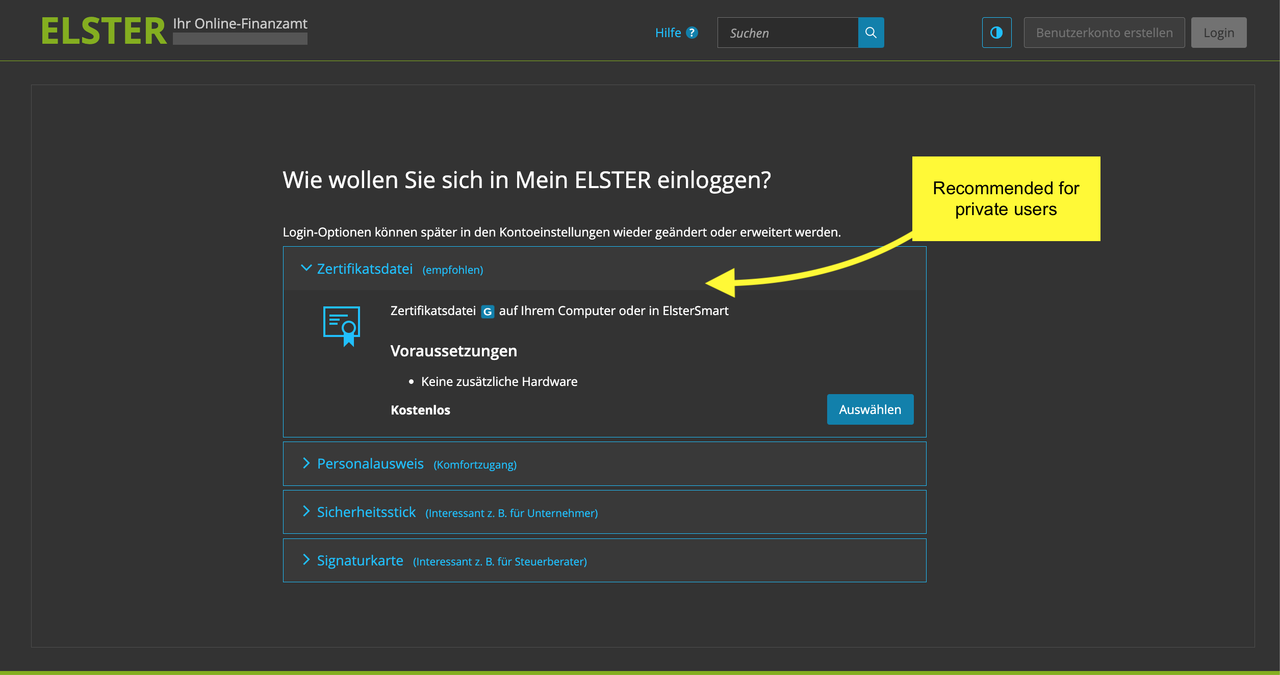
STEP 4: Choose how you want to access your account

ELSTER gives your four secure login/ access options. Most users choose a Zertifikatsdatei or digital security certificate.
 

STEP 5: Choose the type of ELSTER account

There are two types of ELSTER accounts.

Option 1: “For me”
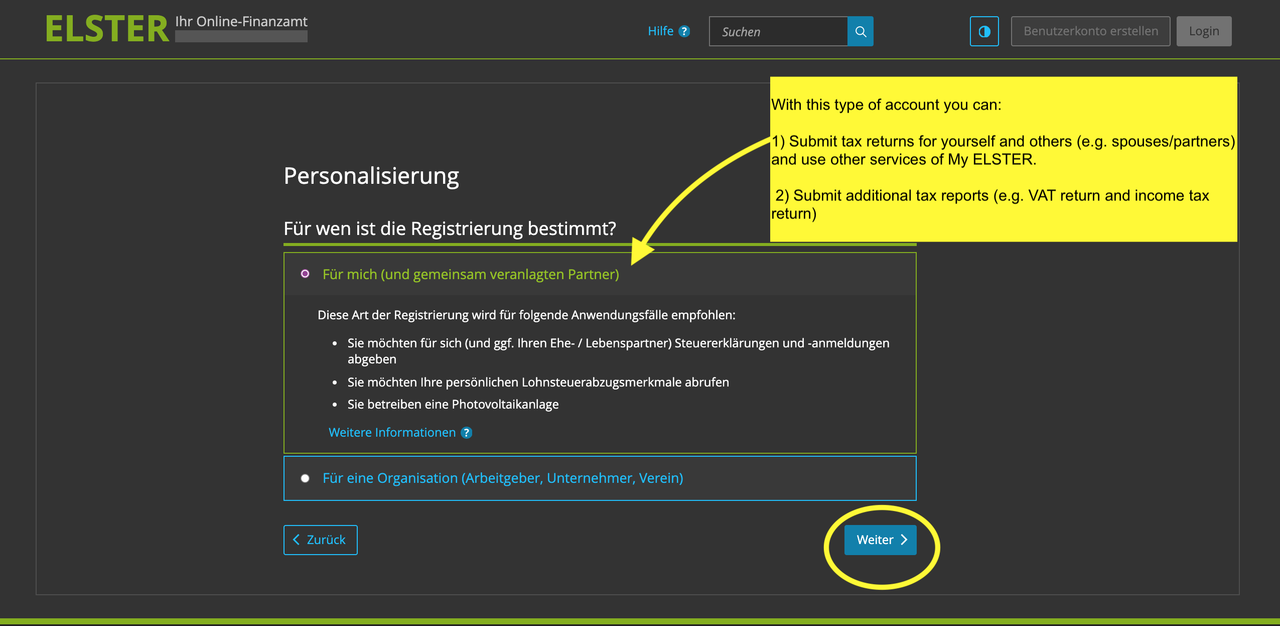
This type of registration is recommended for the following applications:

  • You would like to file tax returns and returns for yourself (and, if applicable, your spouse / civil partner)
  • You would like to retrieve your personal income tax deduction details
  • You operate a photovoltaic system

In the further course of registration, you will need your personal tax identification number.

Option 2: “For an organisation” 
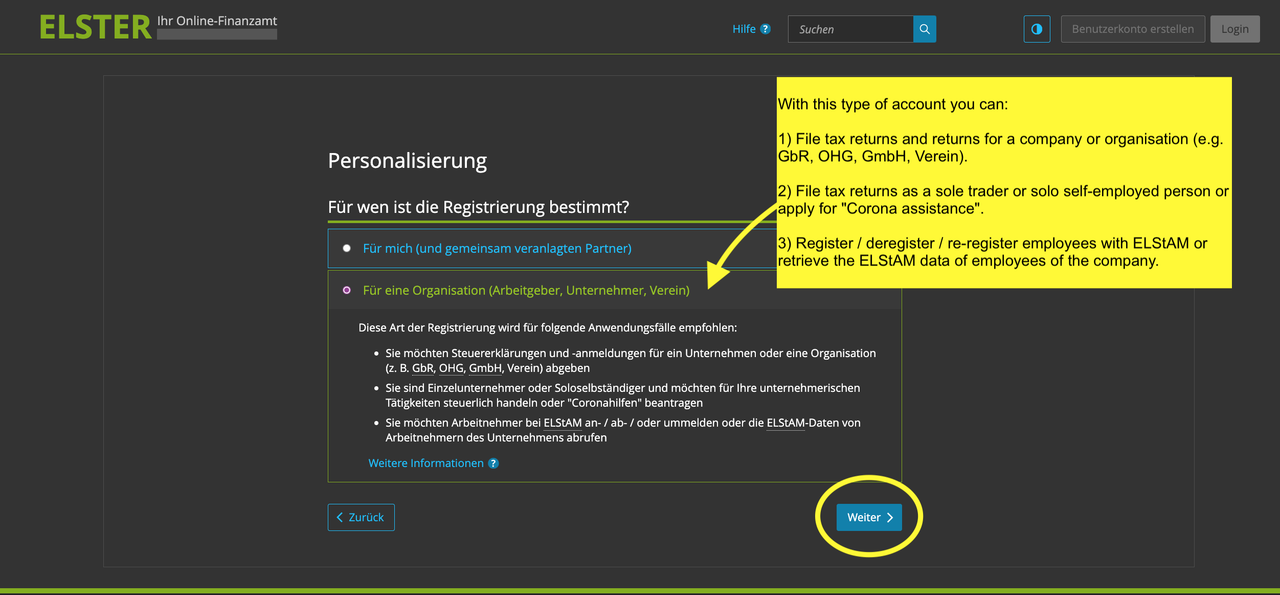
This type of registration is recommended for the following use cases:

  • You wish to file tax returns and returns for a company or organisation (e.g. GbR, OHG, GmbH, Verein).
  • You are a sole trader or solo self-employed person and would like to file tax returns or apply for “Corona assistance” for your entrepreneurial activities
  • You would like to register/deregister / re-register employees with ELStAM or retrieve the ELStAM data of employees of the company.
  • You are a member of a tax consulting profession and would like to apply for authorisation to retrieve certificates for more than 20 persons (not possible with the login option “certificate file”).

In the further course of registration, you will need the tax number under which the company is registered with the tax office.


STEP 6: Choose how do you want to identify yourself?

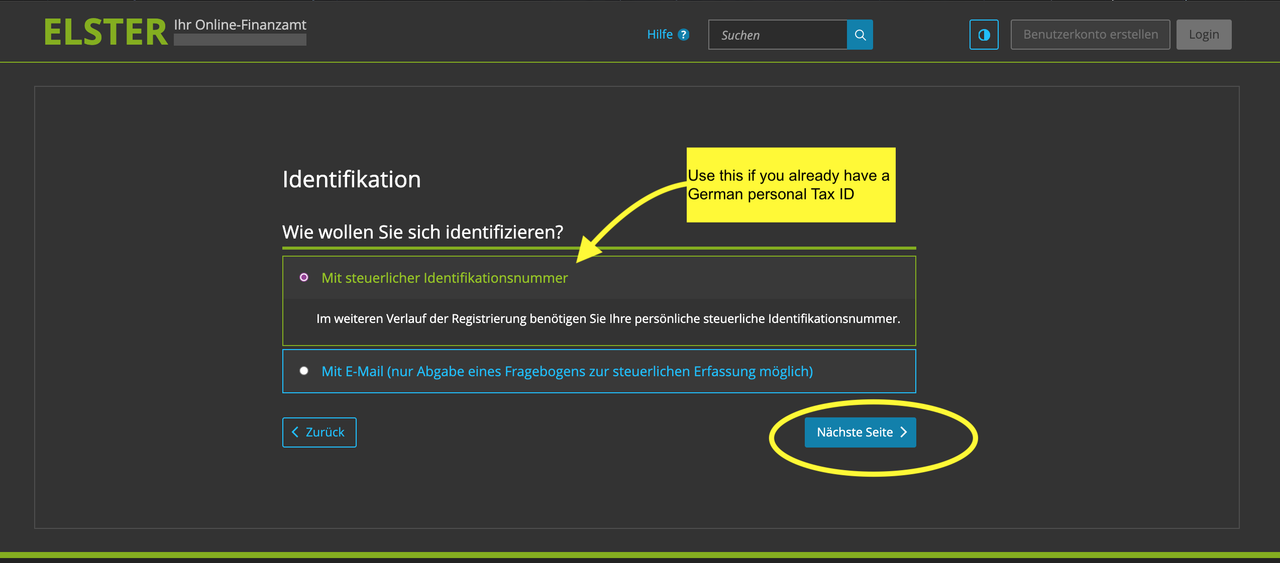
Option 1: Use your German TAX ID

Learn more about German Identifikationsnummer (Steuer-ID) here.
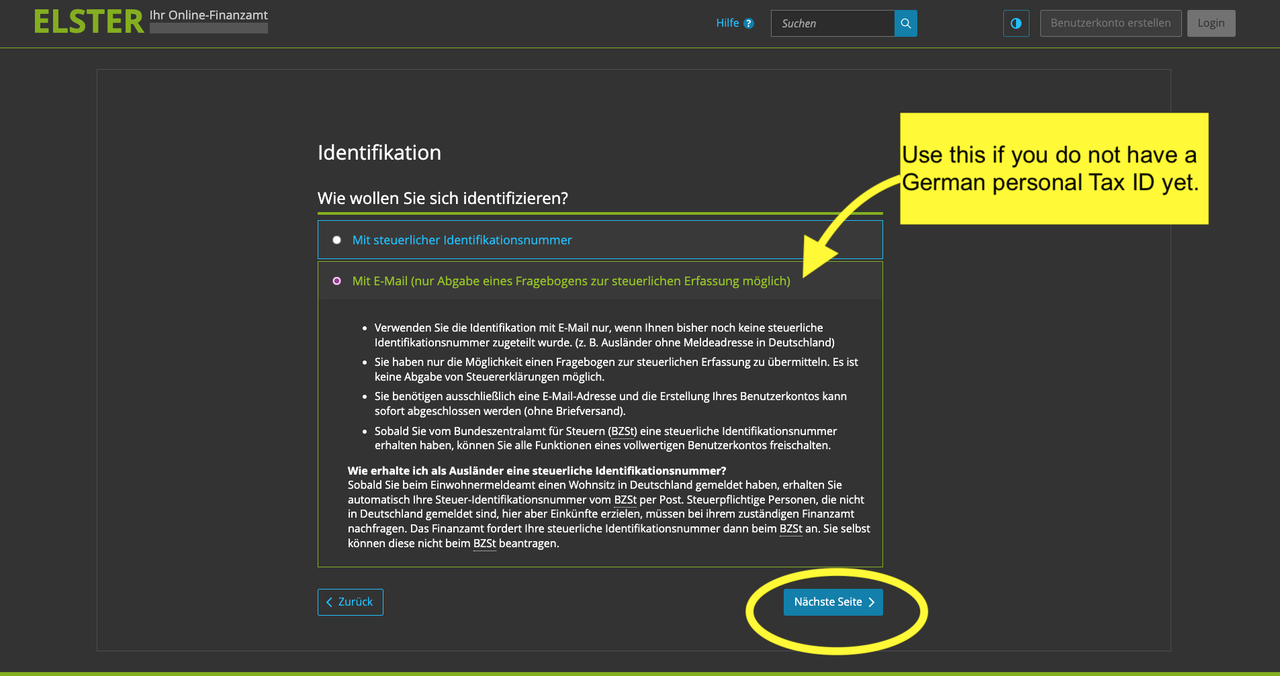
Option 2: Use your email ID
STEP 7: Add your information here
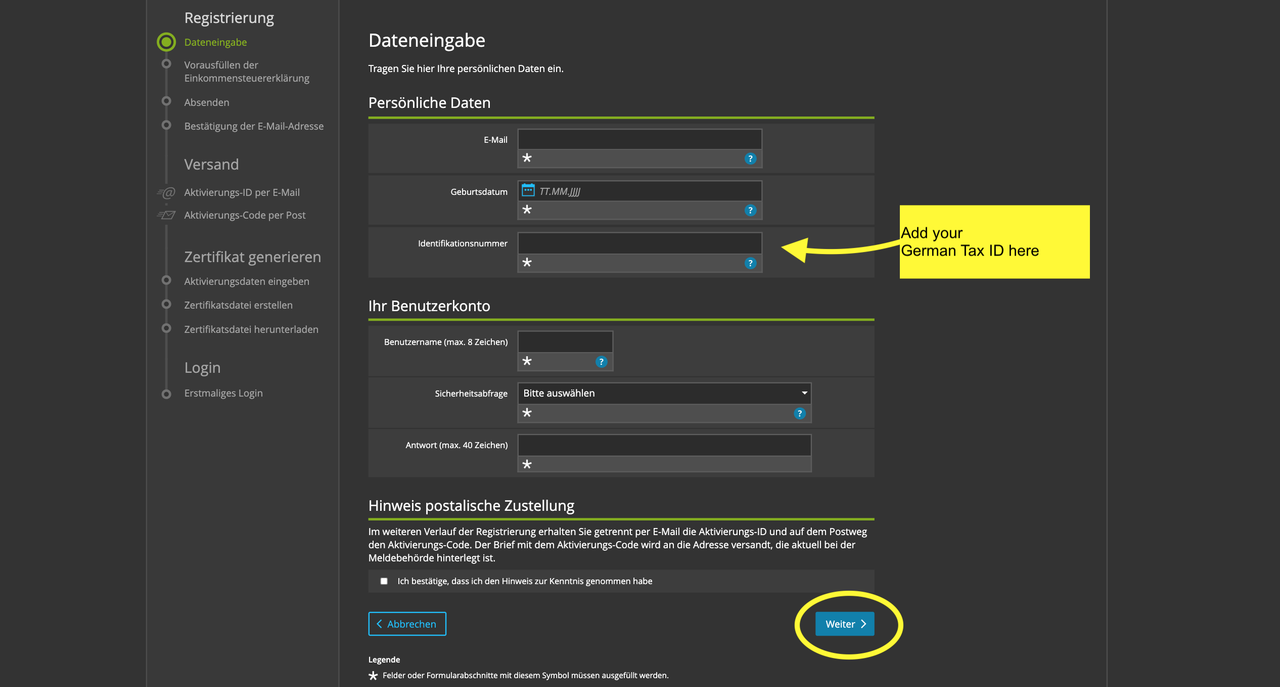
 

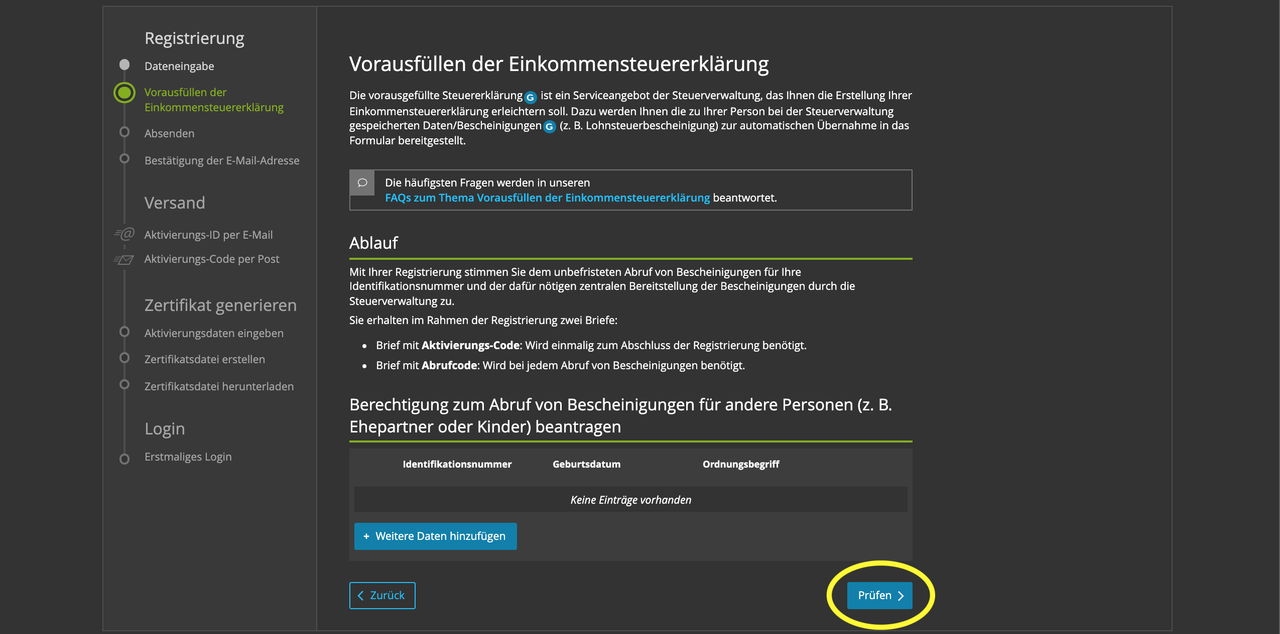
STEP 8: Click on ‘Prüfen’
 

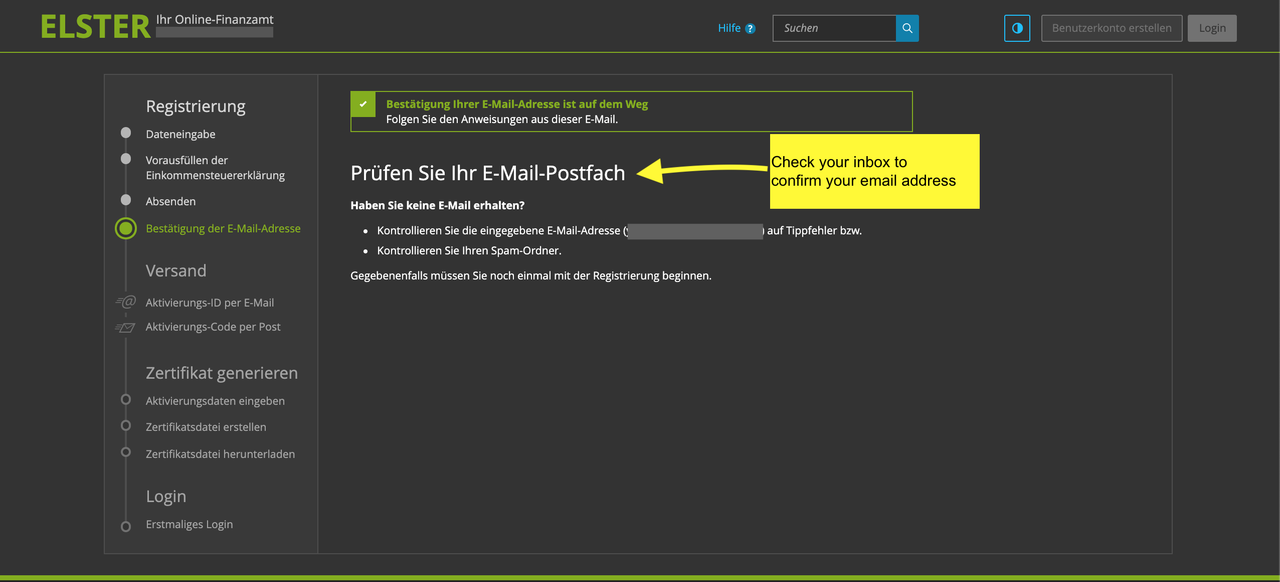
STEP 9: Confirm your email
 

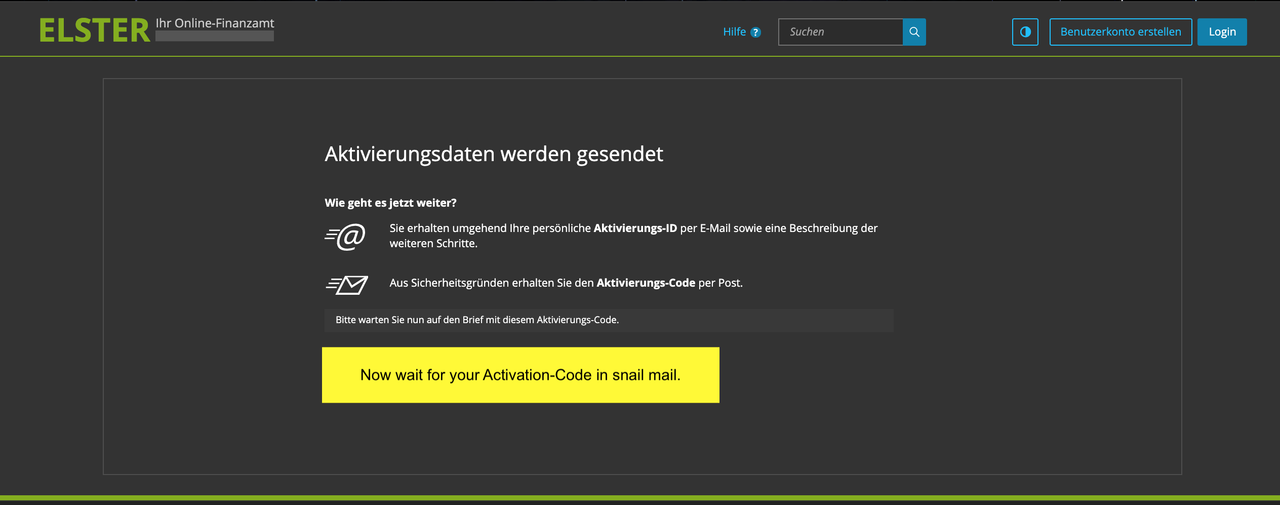
STEP 10: Wait for the Activation Code in the mail
 

STEP 11: Start creating your Zertifikatsdatei

Once you get the letter containing your Activation Code go back to the email sent by the ELSTER portal in Step 10. 

Click on the link to generate the Activation data. It will bring you to this screen. 

Here add the information as indicated.
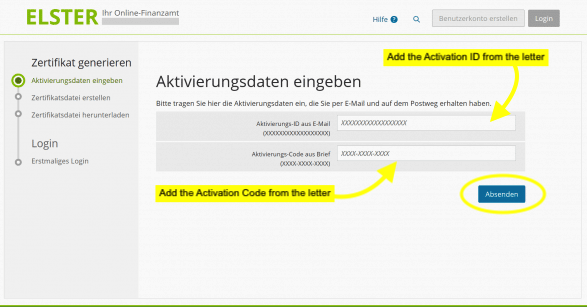
ELSTER english tutorial

STEP 12: Create your Zertifikatsdatei file

Create your password and click on ‘Jetzt Zertifikatsdatei erstellen’
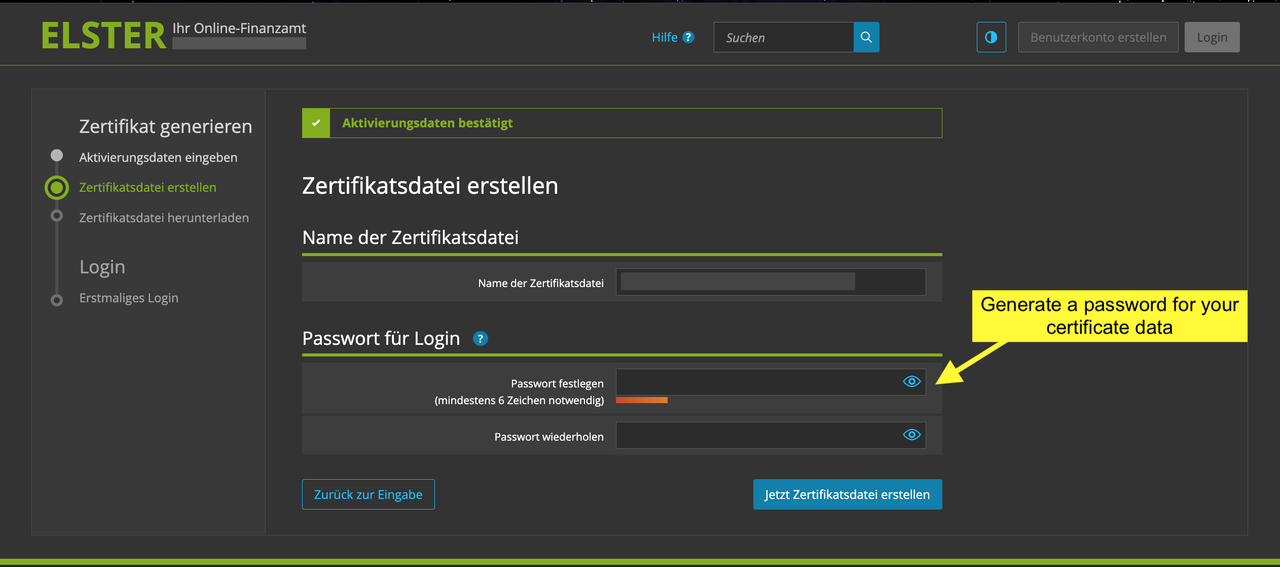
Elster sign up english

STEP 13: Download your Zertifikatsdatei to your device
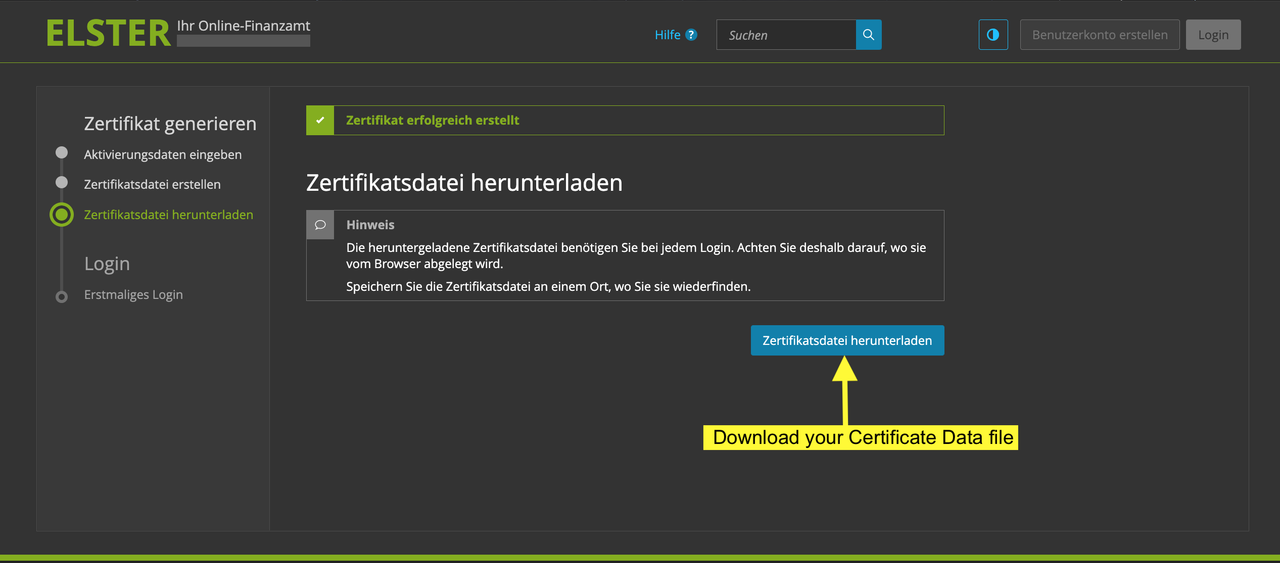
 

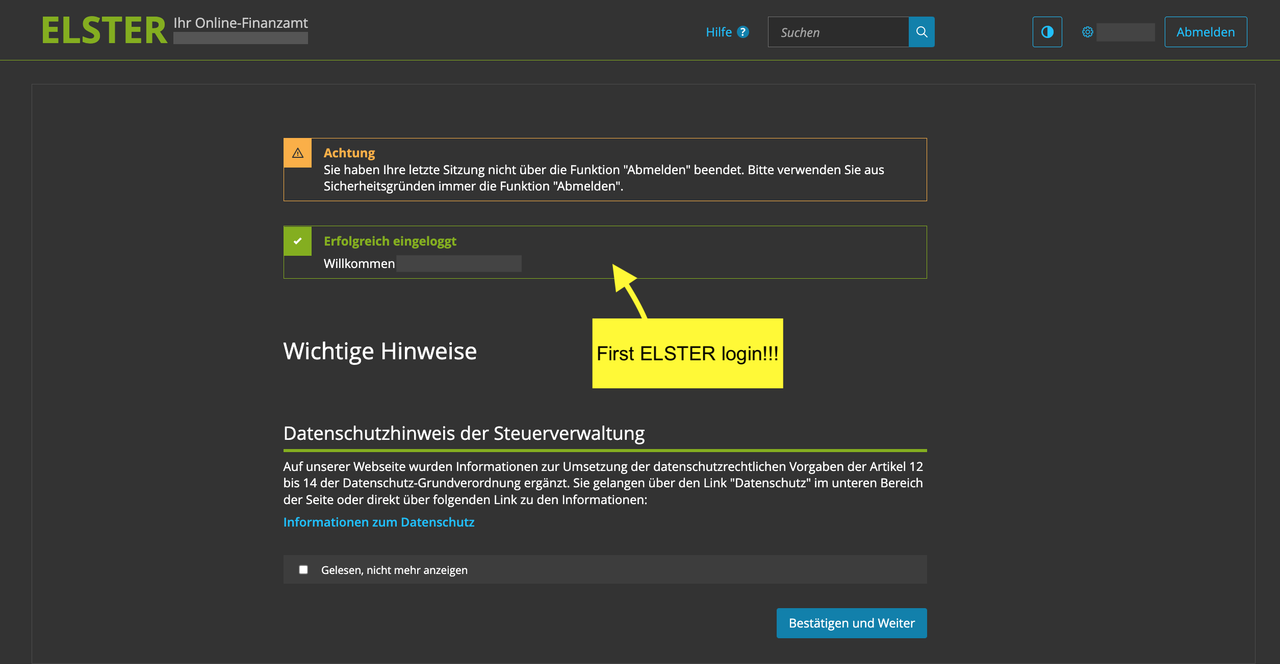
STEP 14: Login into your ELSTER account for the first time
 

What’s next?

Read our Beginner-Friendly Guide to

German Freelancer Taxes